
Case Study
A severe-weather safety app that helps Dallas residents know what to do, where to go, and who to contact in the first 60 seconds of a crisis.
The Hook
When a tornado warning drops on Dallas, you have less than 60 seconds to act. Existing apps tell you what's happening — FEMA apps crash under load, shelter locations live in PDFs, and alerts offer no next step. Wayfind was designed to fill that gap: an app that meets you in the moment and moves you through it.
The Problem
72%
Of residents surveyed had no idea where their nearest shelter was before an emergency hit.
61%
Defaulted to social media during emergencies because official channels were too slow or impossible to use under stress.
84%
Said alerting family should take a single action — not hunting through a phone under stress.
Wireframes
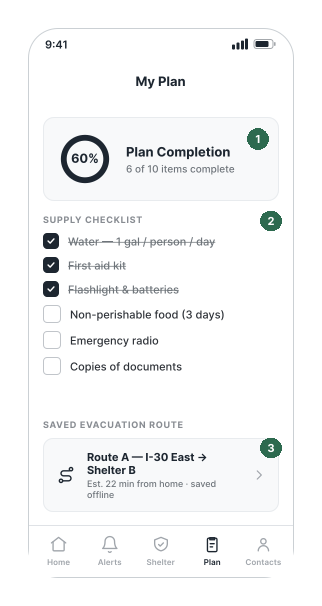
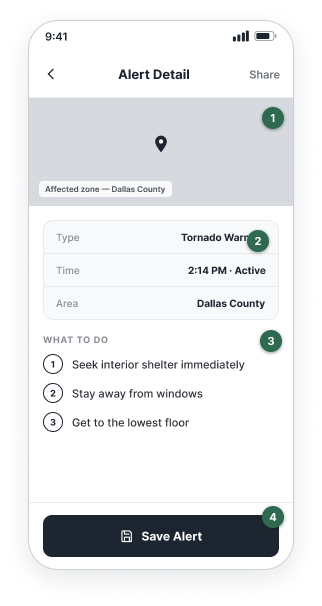
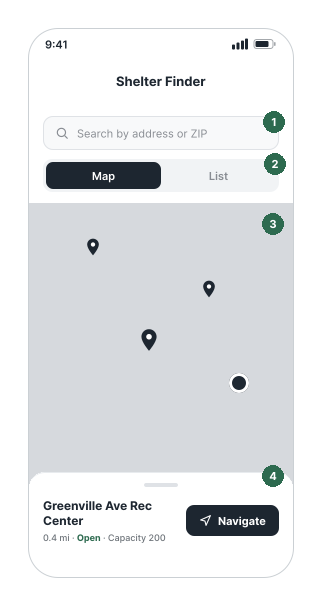
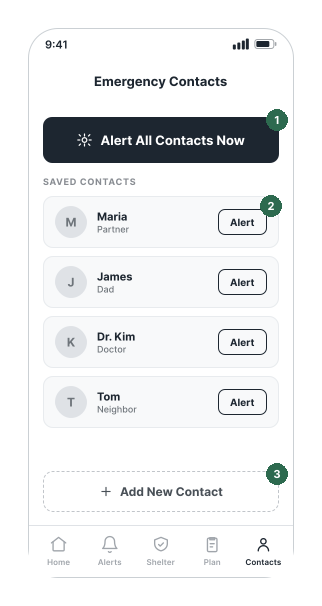
Mid-fidelity, grayscale wireframes for the five core screens of Wayfind, a severe-weather safety app. Layout, hierarchy, and key interactions are resolved before anycolor or visual styling is applied. Numbered markers flag each design decision; thelegend beneath every frame explains the reasoning.
Home Alert
Alert Detail
Shelter Finder
My Plan
Emergency Contacts
The Approach
1
Built two primary personas — Marco (29, solo renter) and Diane (41, parent of two) — then ran competitive analysis across FEMA, Weather Channel, and Citizen to map what existing tools were missing.
2
Surveyed 40+ Dallas residents and ran an affinity mapping session. Three insights surfaced: people need speed, they need simplicity, and the app has to work offline.
3
Mapped a 7-step critical path from push alert to shelter navigation, then structured every screen to serve exactly one decision in that sequence.
The Solution
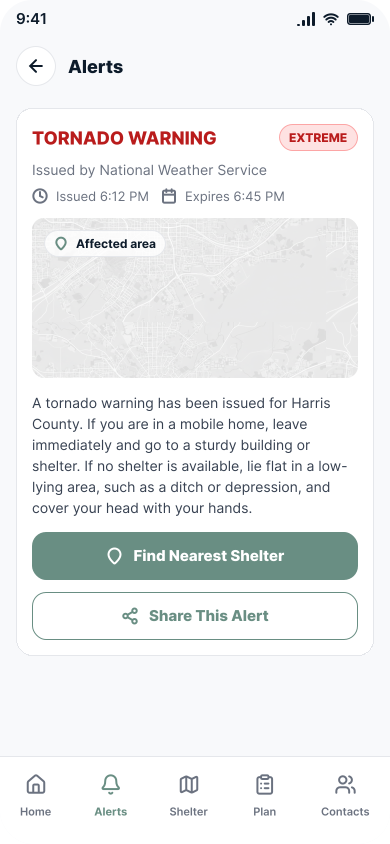
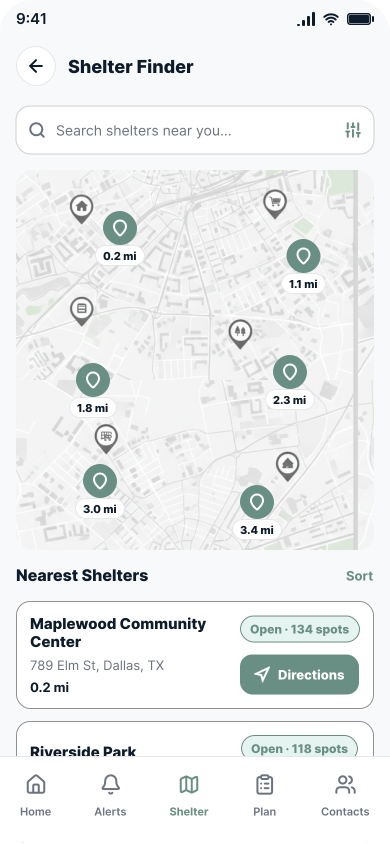
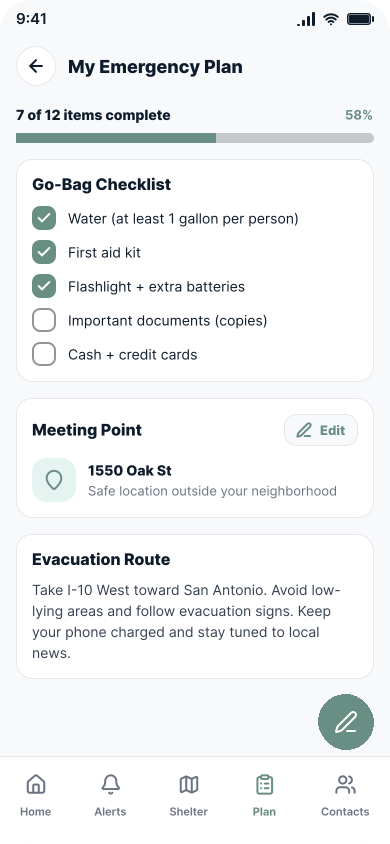
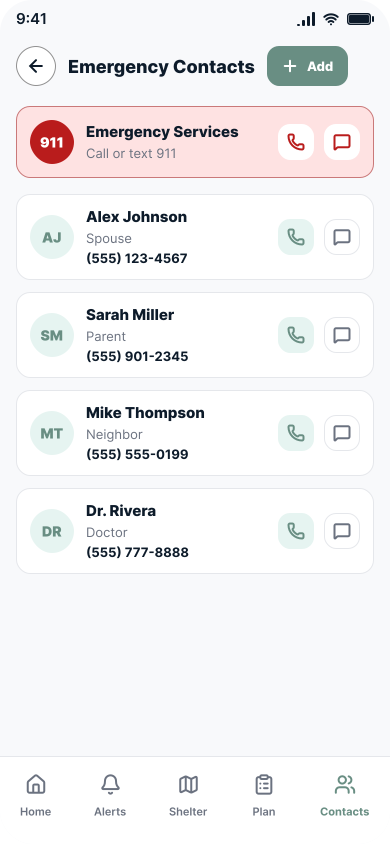
Each screen handles one decision — read the alert, find a shelter, navigate there, check your plan, or notify your contacts. Nothing else competes for attention.
Home Alert
.svg)
Alert Detail
Shelter Finder
My Plan
Emergency Contacts
The Outcome
8/8
Users completed the full alert-to-shelter critical path without assistance in usability testing.
72%
Of surveyed Dallas residents couldn’t locate their nearest shelter — the core gap this app was built to close.
84%
Said one-tap family notification was the single most important feature they wanted in an emergency app.
Reflection
Designing for emergencies means designing for stress, low attention, and shaking hands. The hardest calls were about removal — every piece of information not directly relevant to the next decision is a liability. If I continued, I’d test offline mode and accessibility across age groups, since the people most at risk in severe weather are often the hardest to reach with standard app design.